Configure the data plane of ASAv
In this chapter, we will be deploying the data plane of ASA by configuring Outside and Inside subnets:
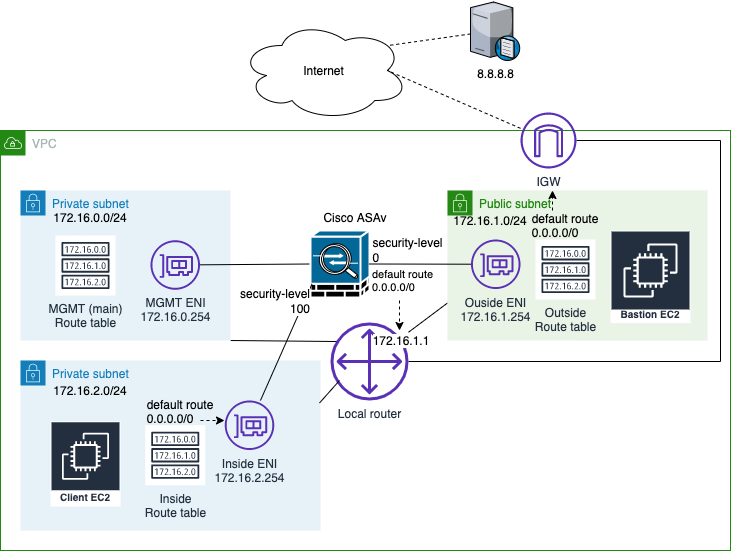
AWS Components
Let’s start by deploying components on AWS first:
- Create a private subnet for Inside network and assign subnet 172.16.2.0/24.
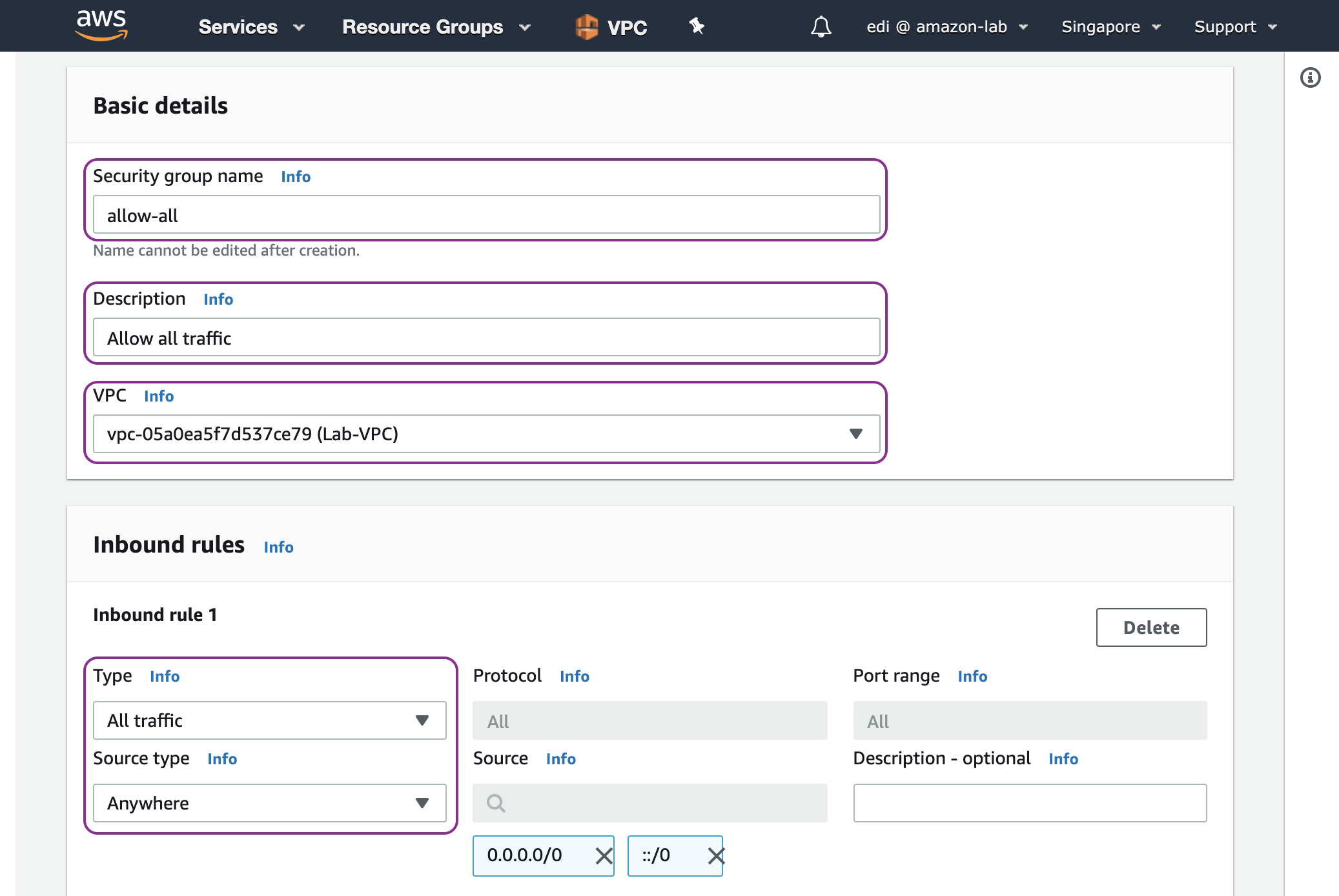
- Create a security group named allow-all that allows all traffic because we will let ASAv control the network access.
- Create Outside and Inside ENIs (elastic network interfaces) of ASAv with security group allow-all.
- Attach Outside and Inside ENIs to the ASAv.
- Disable source and destination check of Outside and Inside ENIs because we will allow traffic to traverse through ASAv.
- Associate an EIP to the Outside ENI.
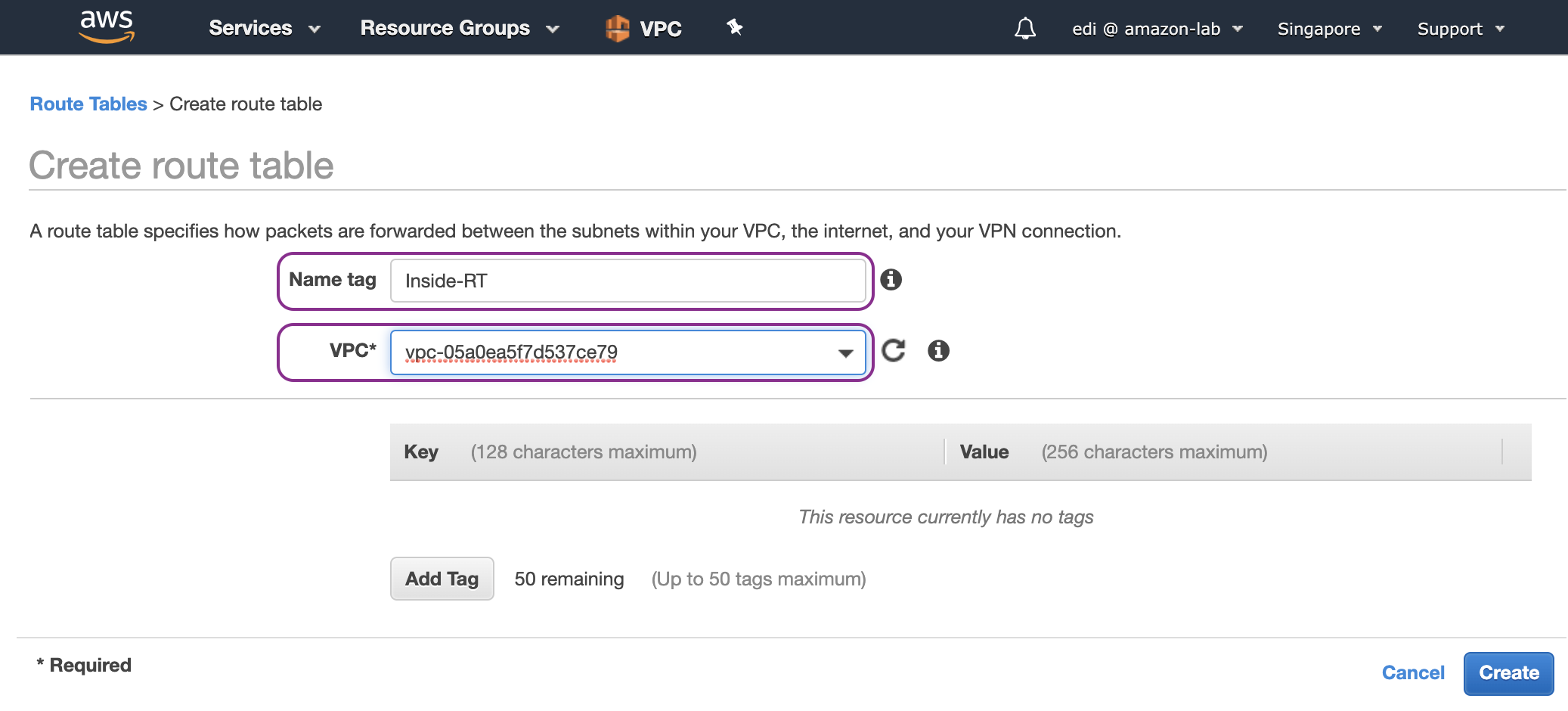
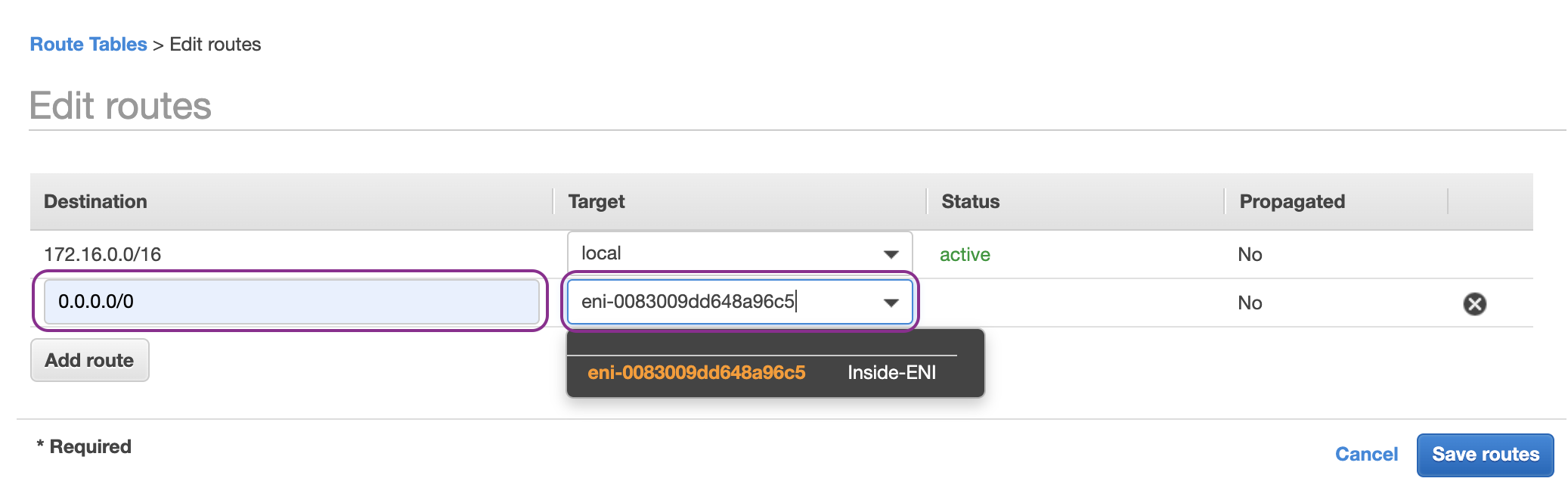
- Create a route table, associate it with Inside subnet and add a default route entry for any destination (0.0.0.0/0) with the target of Inside ENI of ASAv.
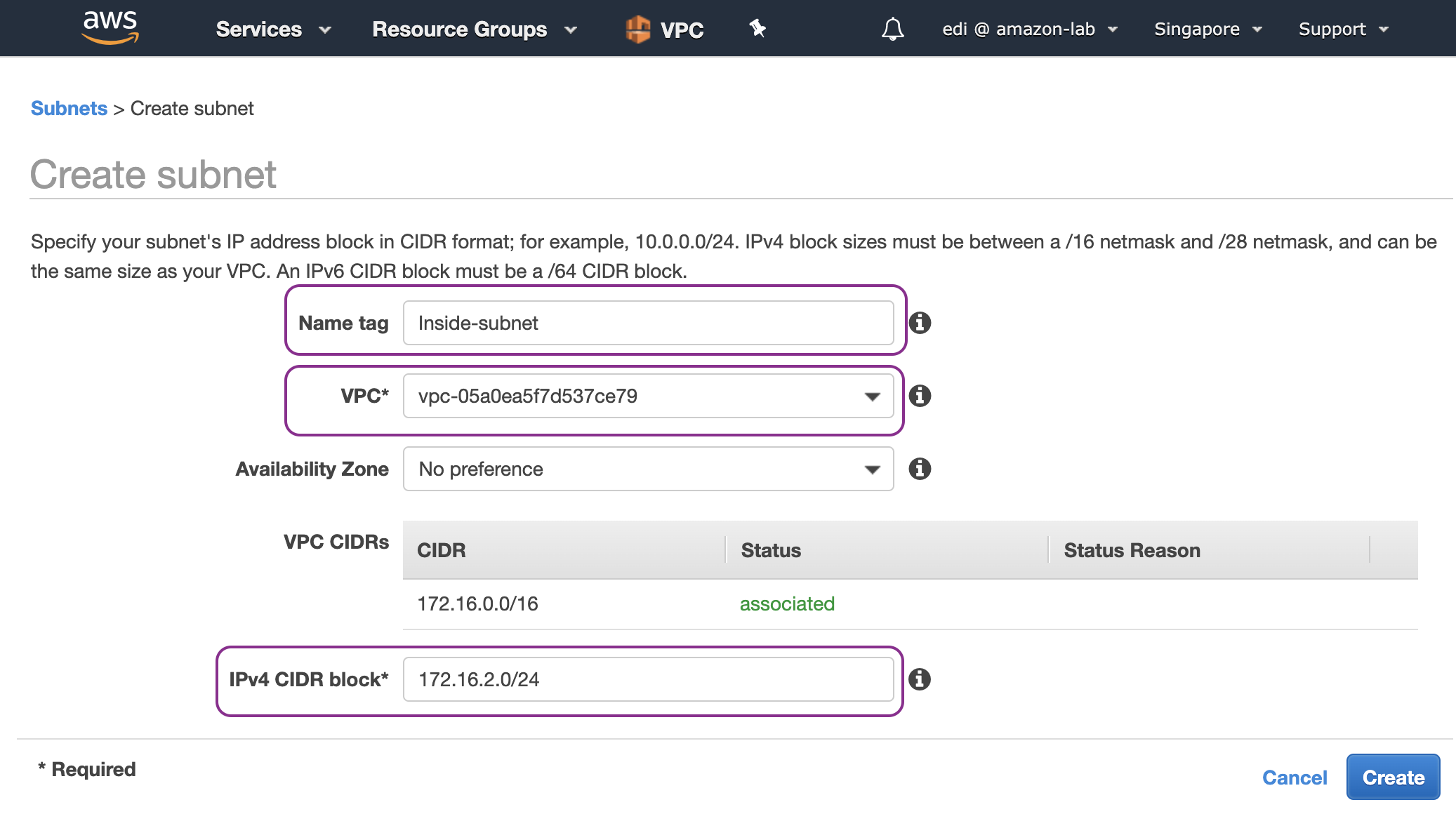
On AWS Management Console, go to the VPC dashboard and start by creating a private subnet for Inside network 172.16.2.0/24:
Create a security group (SG) named allow-all with an inbound rule that allows all traffic from anywhere:
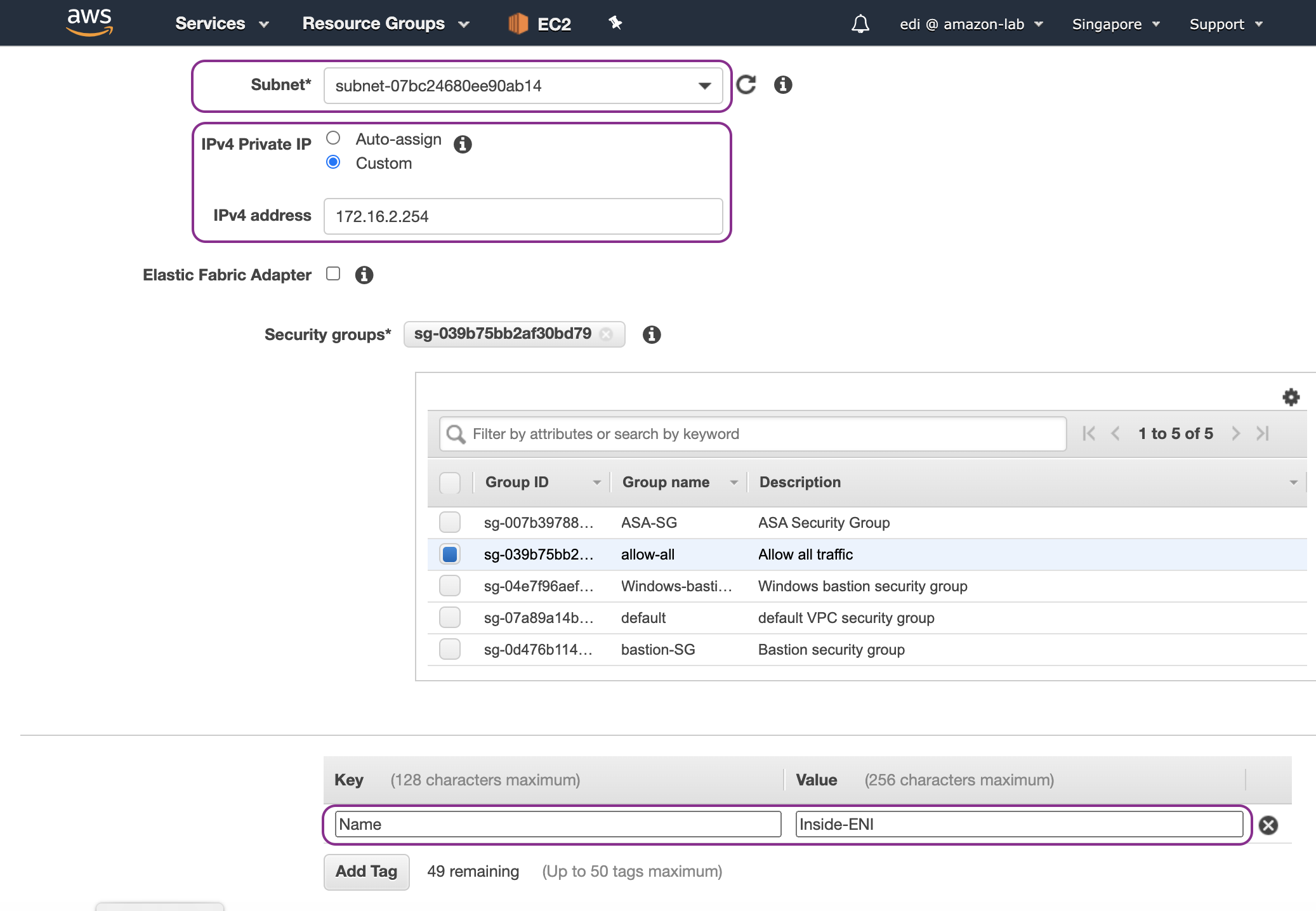
Go to EC2 dashboard, create Inside ENI, choose Inside-subnet (172.16.2.0/24) and assign IP address 172.16.2.254:
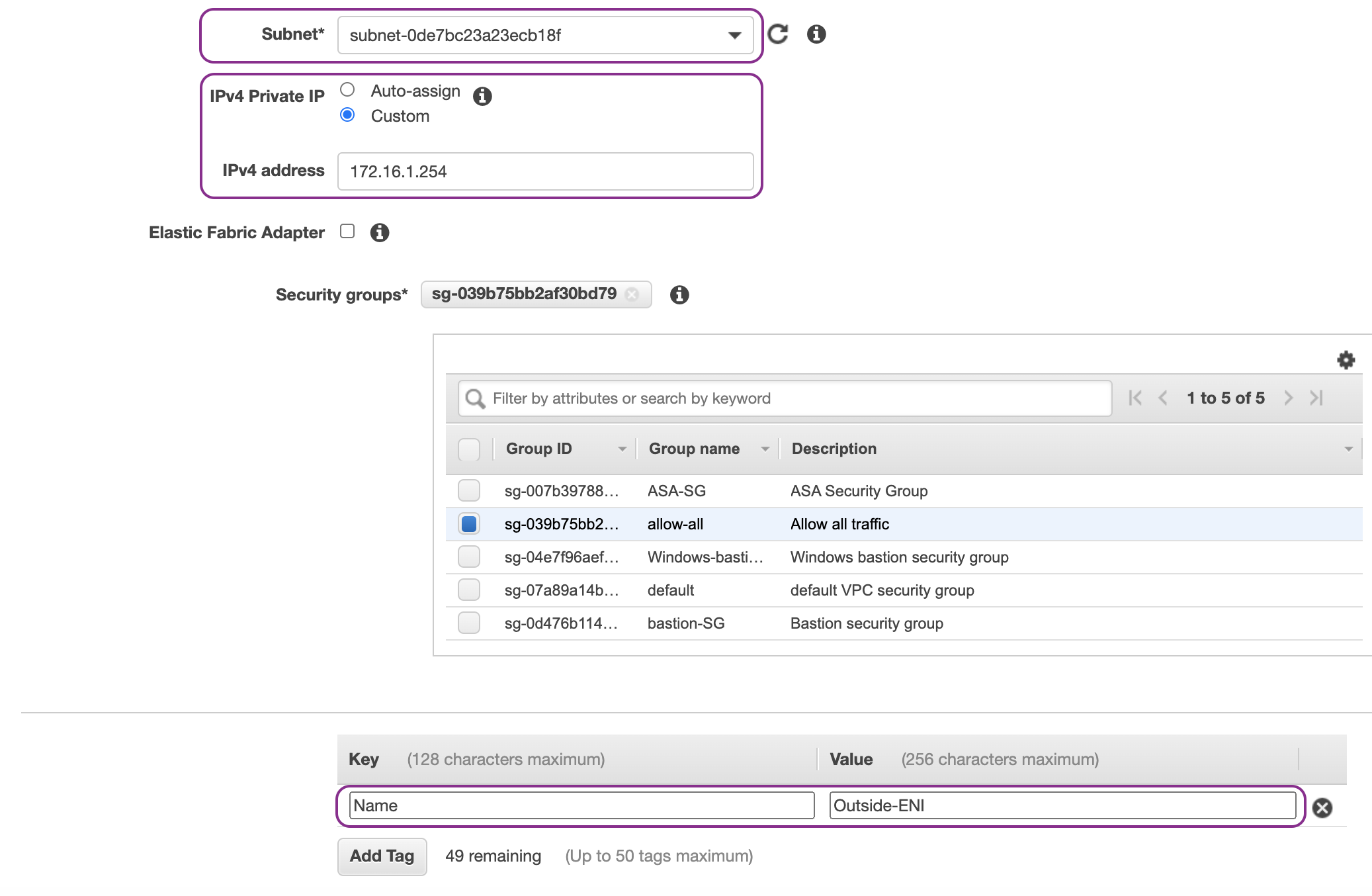
Create Outside ENI, choose Outside subnet (172.16.1.0/24) and assign IP address 172.16.1.254:
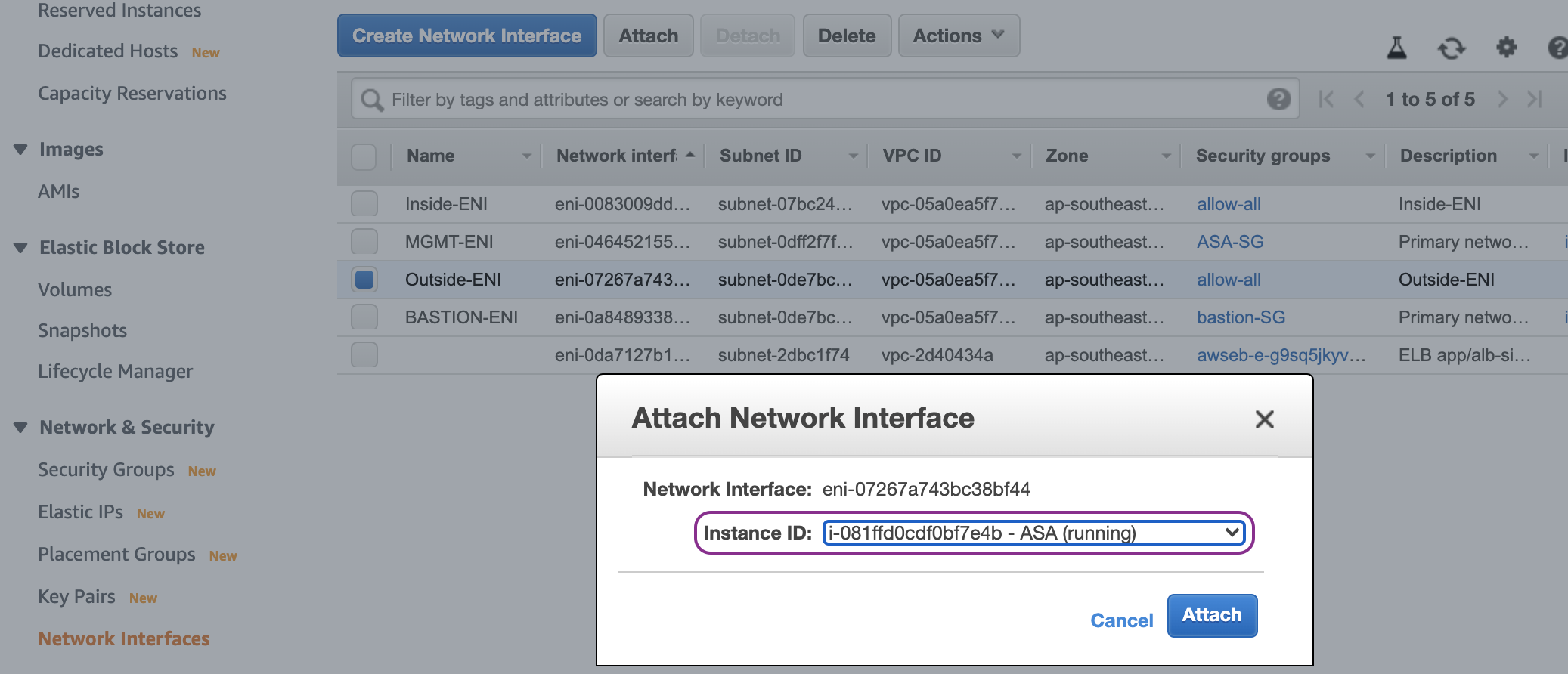
Attach Outside and Inside ENIs to the ASAv instance. Ouside-ENI first:
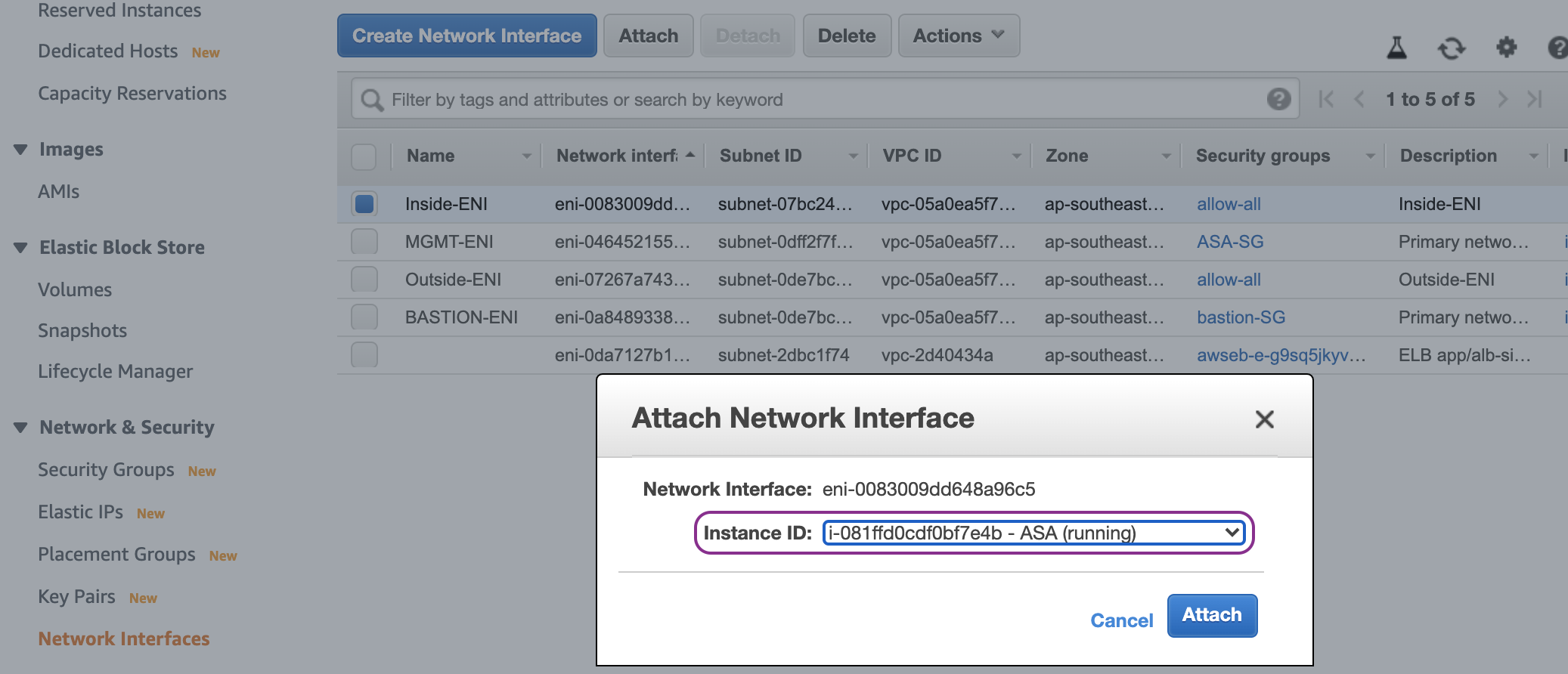
And then followed by Inside-ENI:
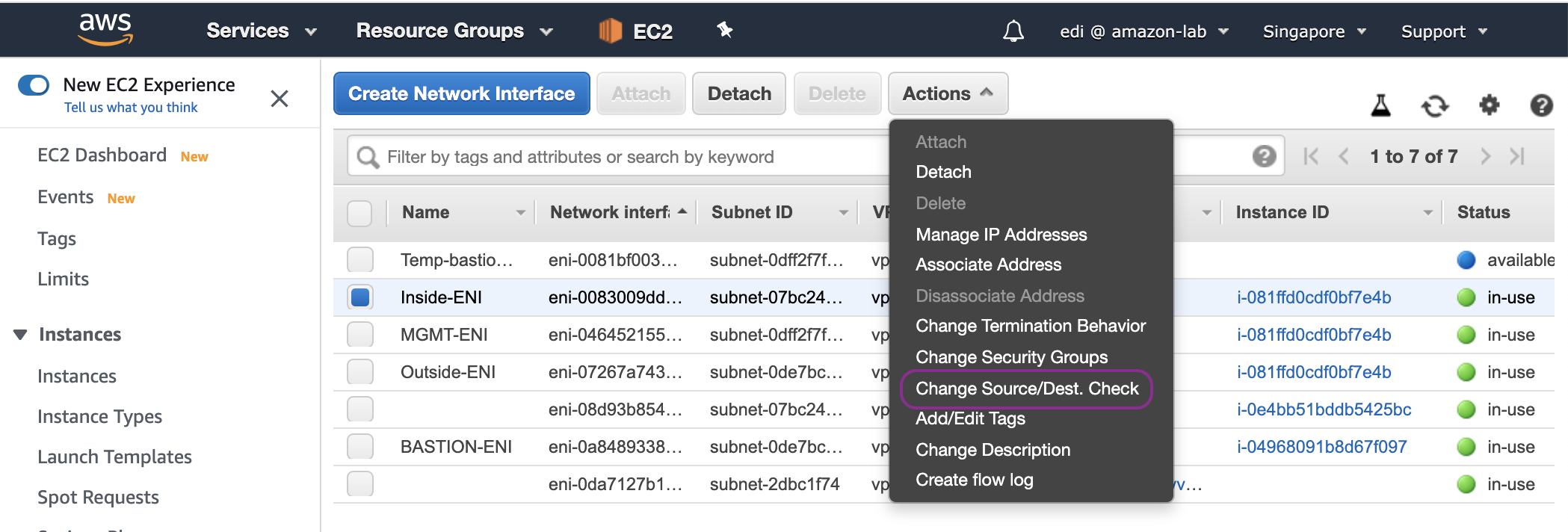
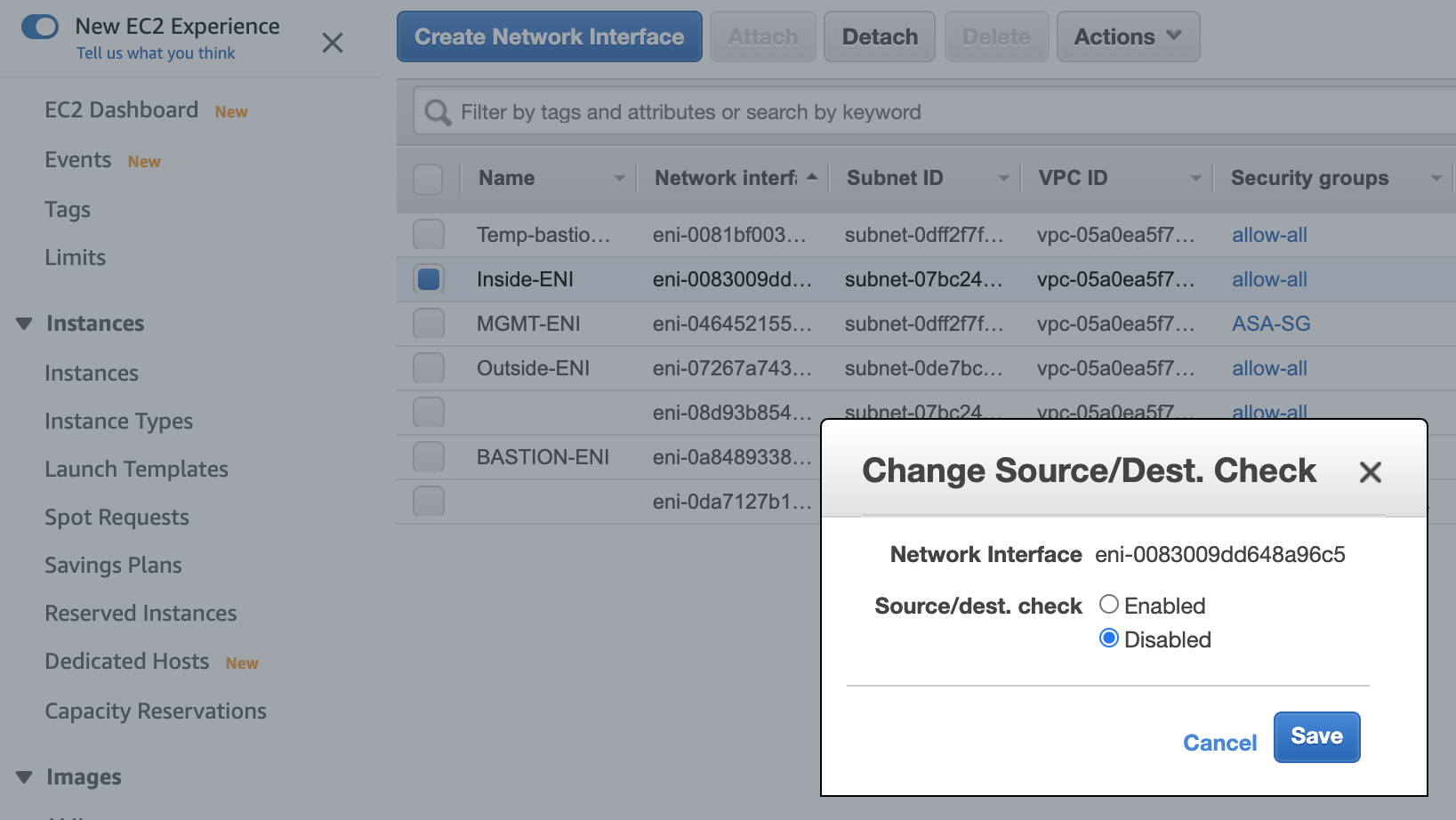
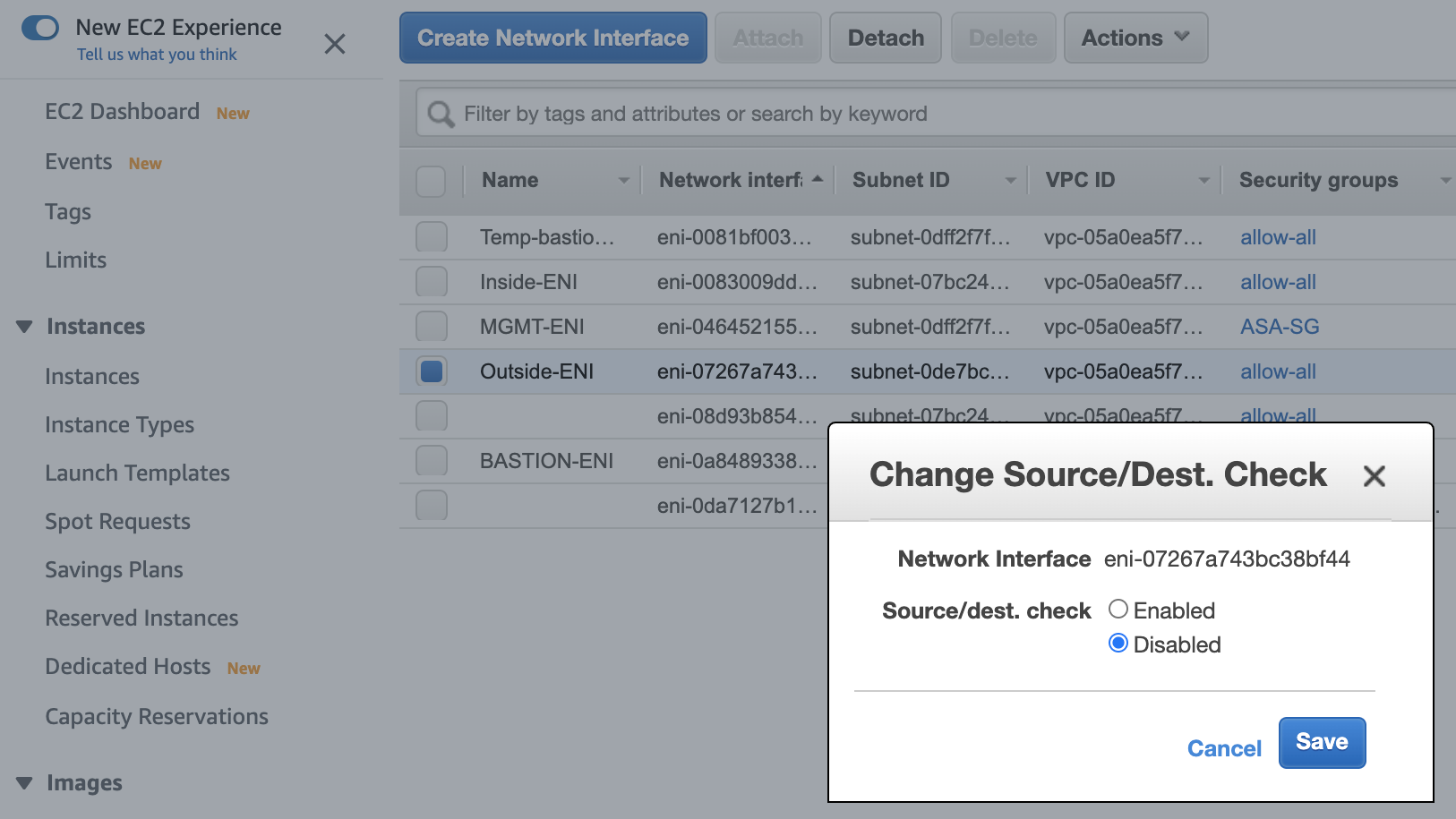
Disable source destination check on both Inside and Outside ENIs:
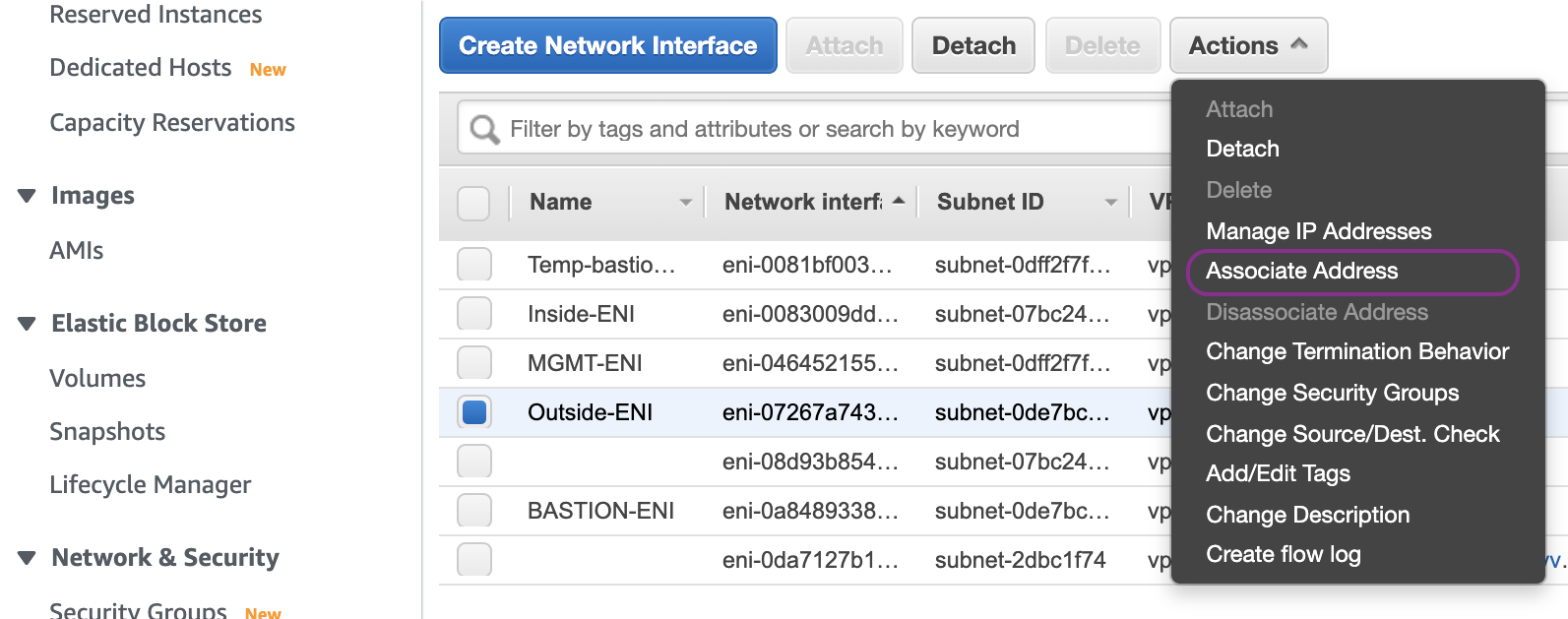
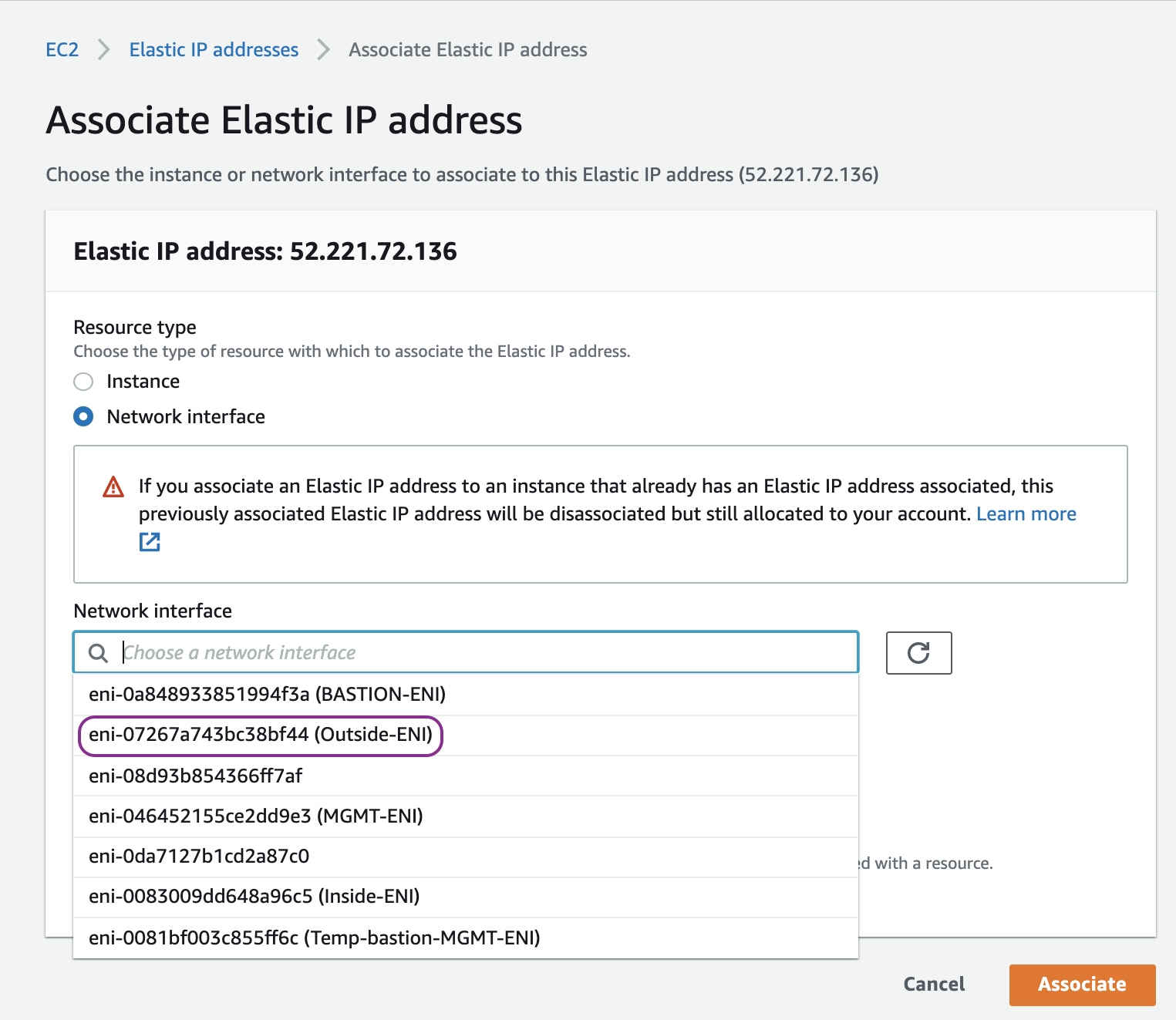
Associate an Elastic IP (public IPv4) to Outside ENI:
Reboot the ASAv instance so that the new network interfaces are recogise by ASAv operating system:

Go back to VPC dash board. Then create Inside route table, associate it with Inside subnet and add a default route entry for any destination (0.0.0.0/0) with the target of Inside ENI of ASAv:

ASAv Configuration
Now we are ready to configure the ASAv.
Assign a static IP address of 172.16.0.254/24 to management network if the Day 0 Confguration that we entered in the User Data of ASAv EC2 is not set:
interface management0/0
management-only
nameif management
security-level 100
ip address 172.16.0.254 255.255.255.0
no shut
NOTE Your management SSH session might be disconnected. If so, please login back in.
Assign IP address 172.16.1.254/24 to outside network interface:
interface TenGigabitEthernet0/0
nameif outside
security-level 0
ip address 172.16.1.254 255.255.255.0
no shut
Assign IP address 172.16.2.254/24 to inside network interface:
interface TenGigabitEthernet0/1
nameif inside
security-level 100
ip address 172.16.2.254 255.255.255.0
no shut
Create a default route entry or any destination (0.0.0.0/0) with the target of Local router (172.16.1.1) via outside interface:
route outside 0.0.0.0 0.0.0.0 172.16.1.1
Add icmp to the inspection policy map which is applied in the global scope:
policy-map global_policy
class inspection_default
inspect icmp
inspect icmp error
NOTE policy-map global_policy is applied in the global scope: service-policy global_policy global
Create a NAT rule (hide NAT) to translate the source IP address of inside network to the EIP of Outside interface of ASAv:
nat (inside,outside) after-auto source dynamic any interface
If we want to tighten the security, we can create a route entry for destination of outside network (172.16.1.0/24) where Bastion host resides with the target of Local router (172.16.0.1) via management interface:
route management 172.16.1.0 255.255.255.0 172.16.0.1
And then remove the default route via the management interface:
no route management 0.0.0.0 0.0.0.0 172.16.0.1
NOTE The route is installed in the management VRF (virtual routing and forwarding) of the ASA. Therefore, to check the route, please use show route management instead of show route which is showing the default VRF.
Launch an EC2 instance as a client host with IP address 172.16.2.100 in the Inside subnet. Then perform ping to public IP 8.8.8.8:
ubuntu@ip-172-16-2-100:~$ ping 8.8.8.8
PING 8.8.8.8 (8.8.8.8) 56(84) bytes of data.
64 bytes from 8.8.8.8: icmp_seq=1 ttl=51 time=1.68 ms
64 bytes from 8.8.8.8: icmp_seq=2 ttl=51 time=1.46 ms
64 bytes from 8.8.8.8: icmp_seq=3 ttl=51 time=1.26 ms
64 bytes from 8.8.8.8: icmp_seq=4 ttl=51 time=1.43 ms